Streaming to several platforms at once usually means running several encoders, or paying a cloud service to relay the feed for you. Norsk Studio does it in one workflow: encode the feed a single time, then fan the output out to as many destinations as you like. This build sends the same live stream to YouTube, Twitch, and your own RTMP endpoints simultaneously.
Build the workflow
Drag on the components and wire them up:
- an
SRT Ingest (Listener)for the live feed — leave it on the default port5001. - an
Encode Ladderto do the encoding once. - a
YouTube Liveoutput, aTwitch Liveoutput, and anRTMP Egestoutput — the dedicated platform components, so you don’t have to hand-craft RTMP URLs.
Optionally drop in an Onscreen Graphic before the ladder to brand the feed, exactly as in Graphics overlay and branding — that’s what’s shown here.
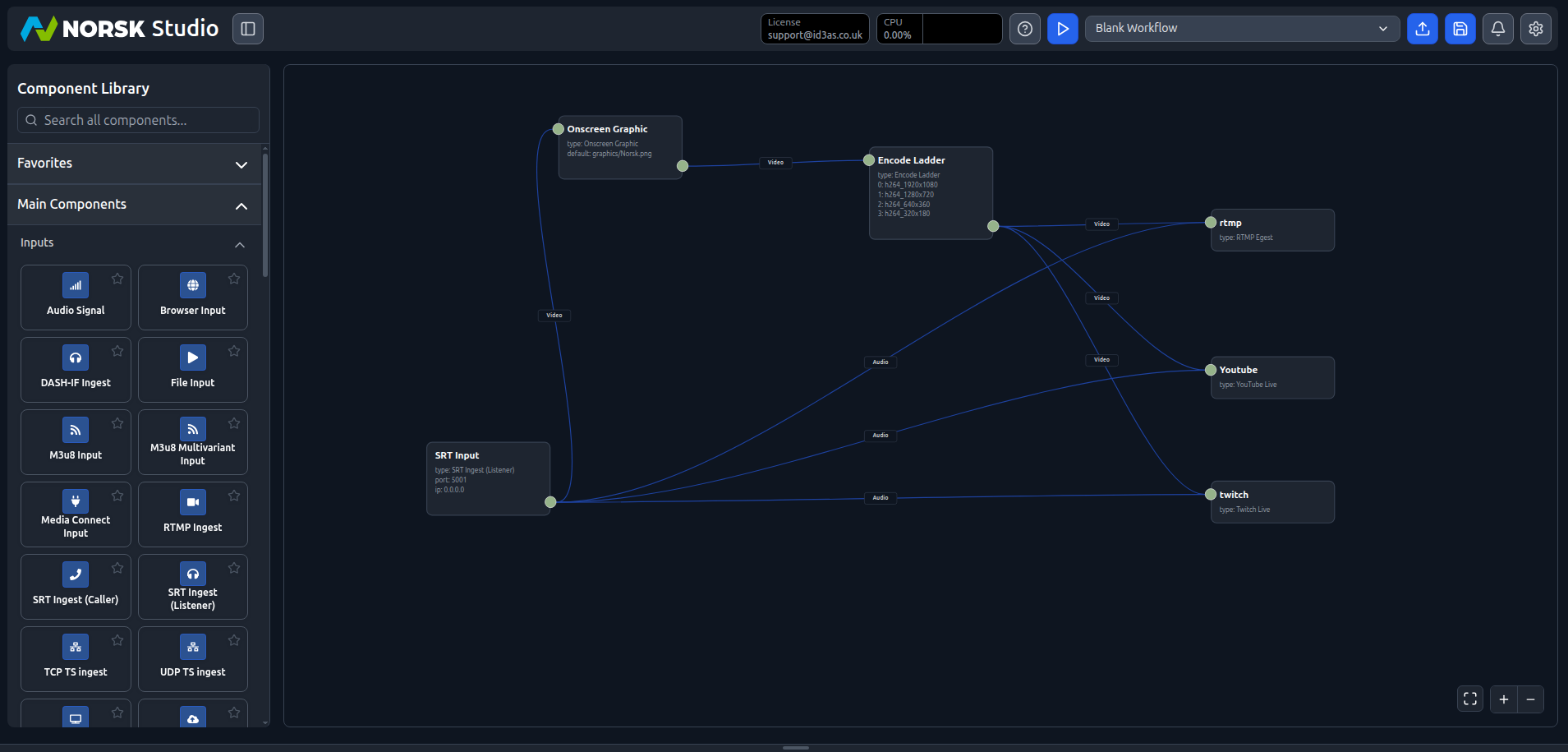
Connect the input’s video through the Encode Ladder, then fan the ladder’s video out to all three platform outputs, and run the input’s audio to each of them. That shared subscription is the whole trick — one encode, many parallel destinations.
Add your platform keys
Each platform component just needs a credential from that platform’s dashboard.
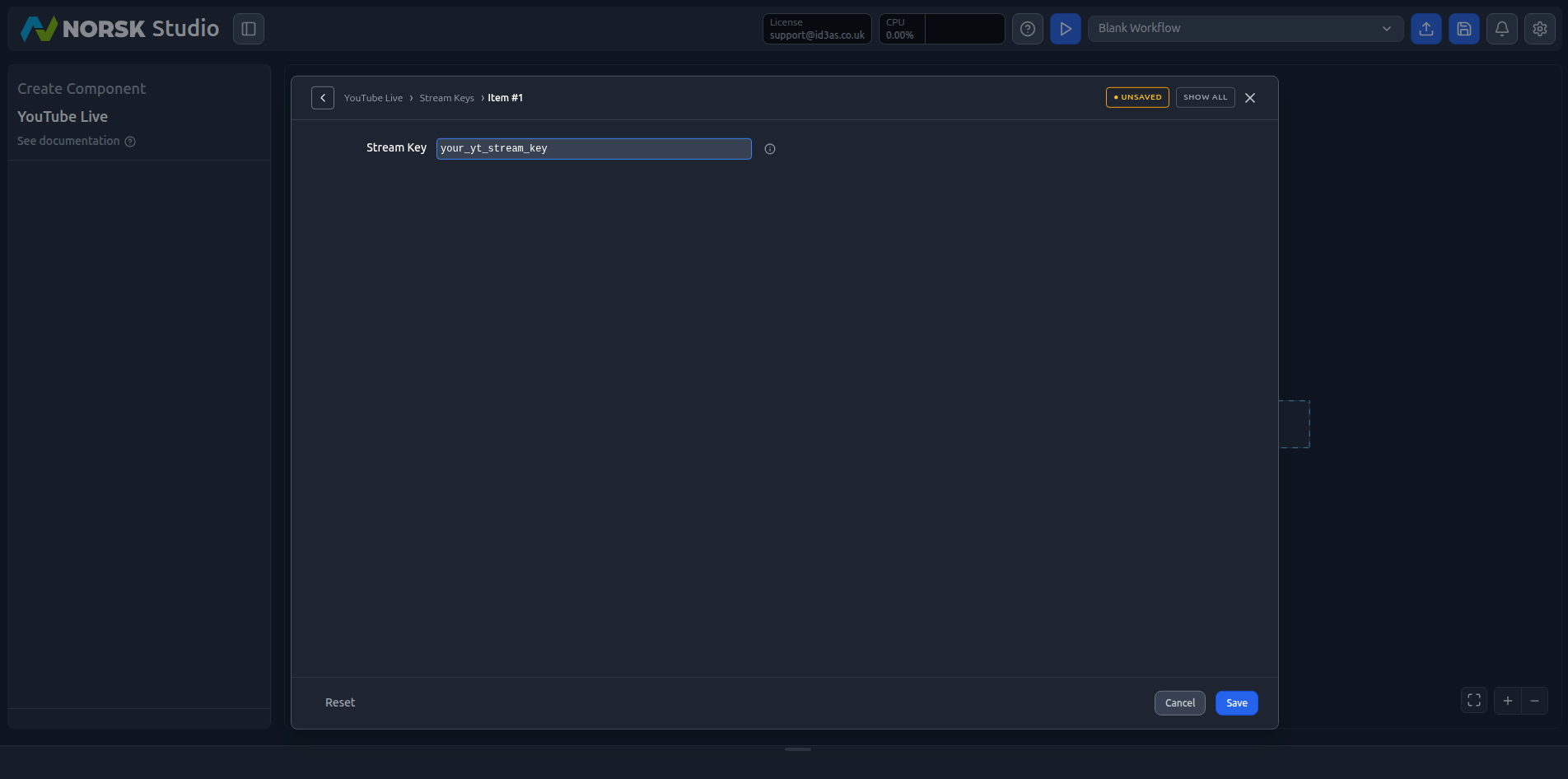
YouTube Live — open the component and add a Stream Key under Stream Keys, taken from YouTube Studio’s live control room. You can add more than one key to target several broadcasts:
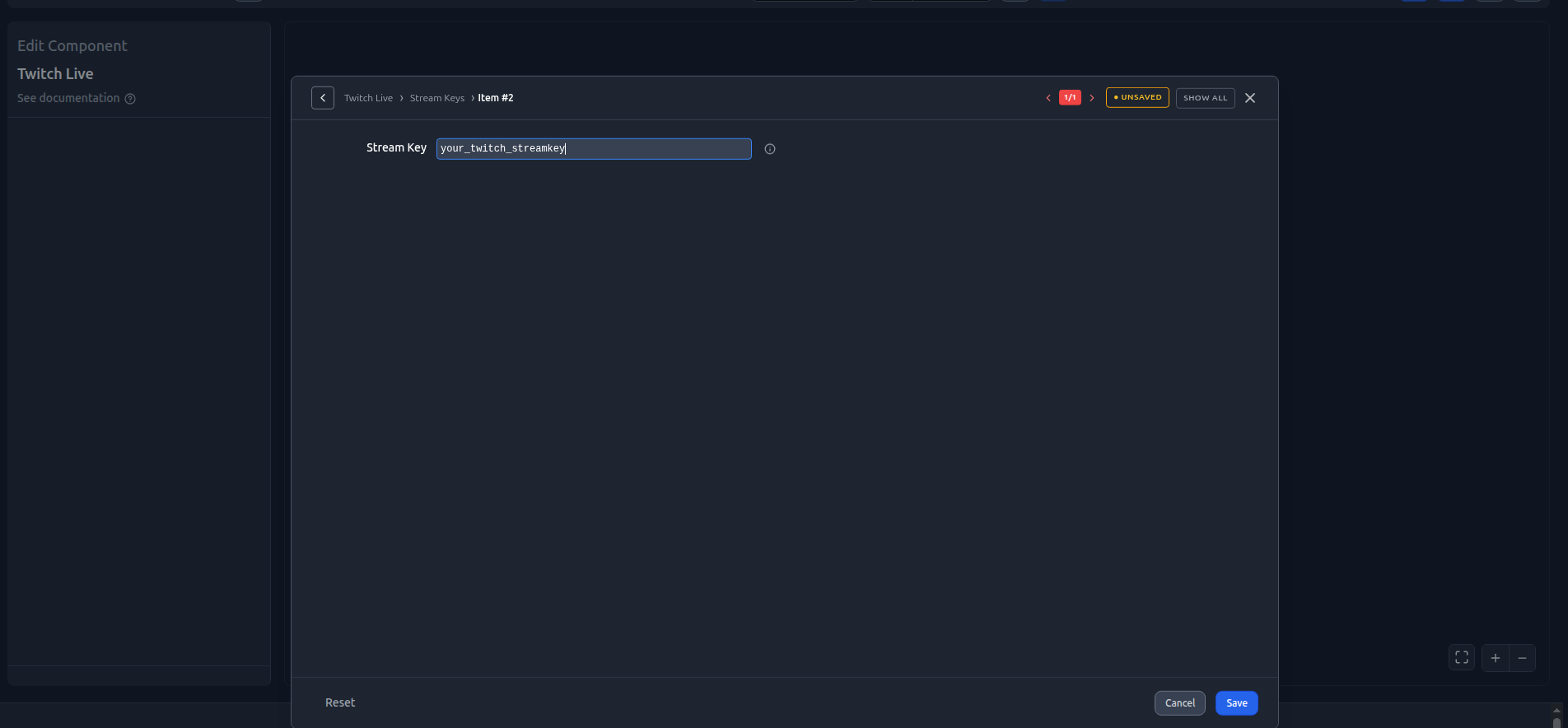
Twitch Live — the same idea: paste your channel’s stream key from the Twitch creator dashboard:
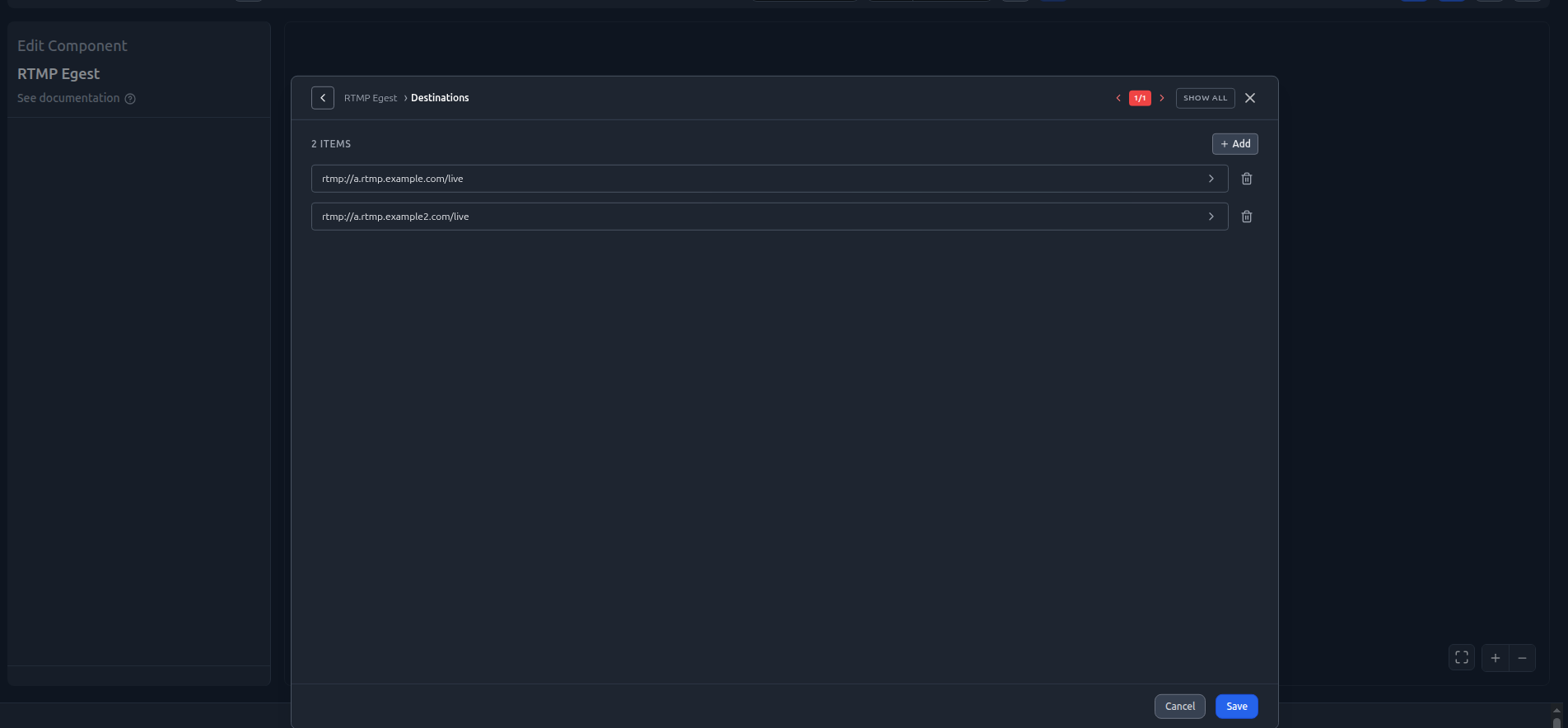
RTMP Egest — for your own CDN, or any other RTMP target, add one or more destination URLs under Destinations. A single RTMP Egest component can push to several endpoints at once:
Keep these keys somewhere safe — anyone with a stream key can broadcast to that channel.
With every output wired to the same encode, here’s the finished fan-out — one input, one ladder, three platforms:
Go live
Hit play. If you don’t have a camera running, stream a sample source into the SRT input:
./sample-srt-source.sh camera1 startEach output connects to its platform independently, so one destination hiccuping doesn’t take the others down. Once you’re live, every output component reports Connected and publishing to its platform — the same live stream, encoded once, arriving everywhere at once:
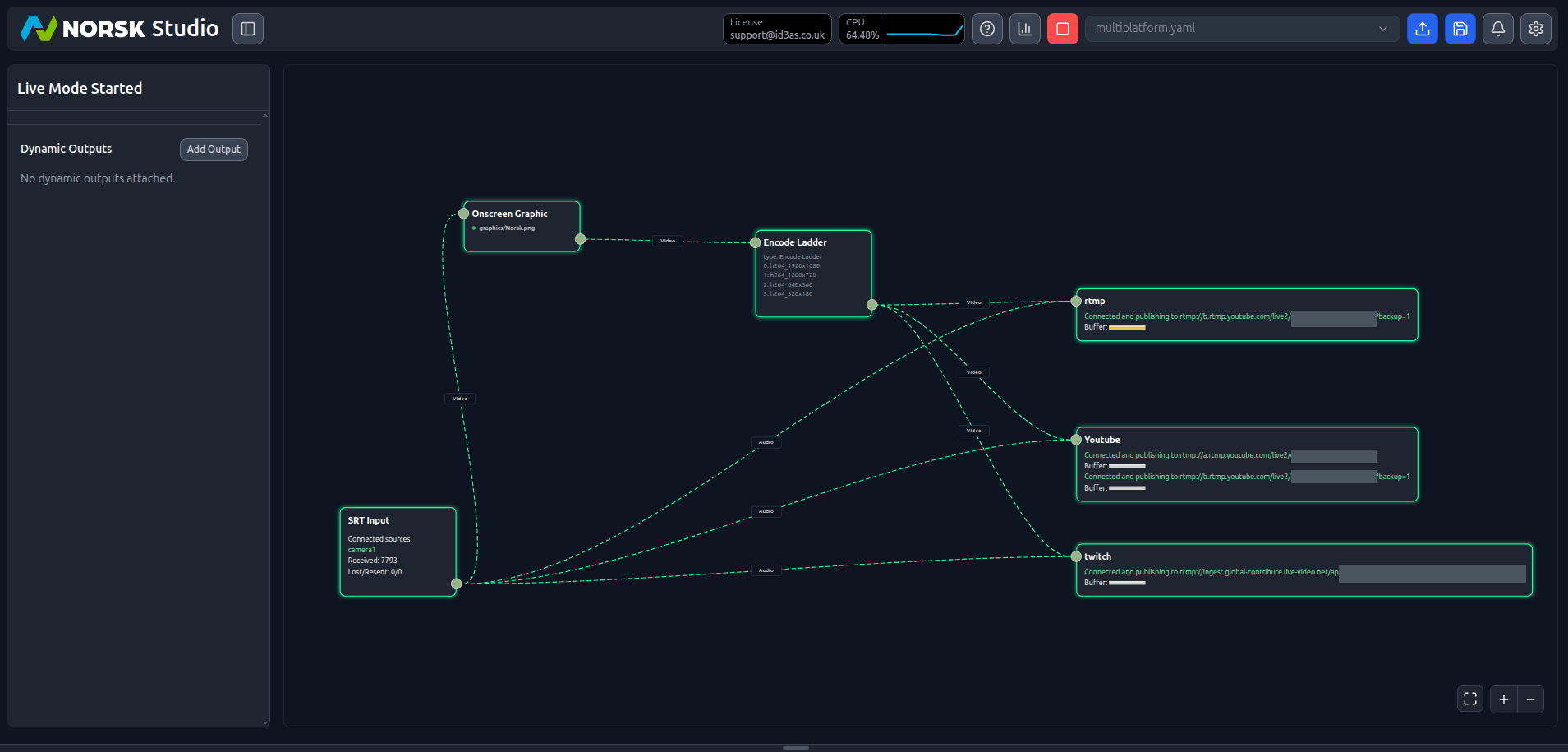
Check your YouTube and Twitch dashboards to confirm the feed is arriving.
Want more destinations? Drag another platform component onto the canvas, subscribe it to the same ladder and audio, and it joins the fan-out.