Norsk Studio

Our flagship product, Norsk Studio, lets you design and build broadcast-quality live media workflows through a graphical drag-and-drop UI.

It runs on-prem or in the cloud, and delivers all the essentials for implementing high-quality live video workflows.

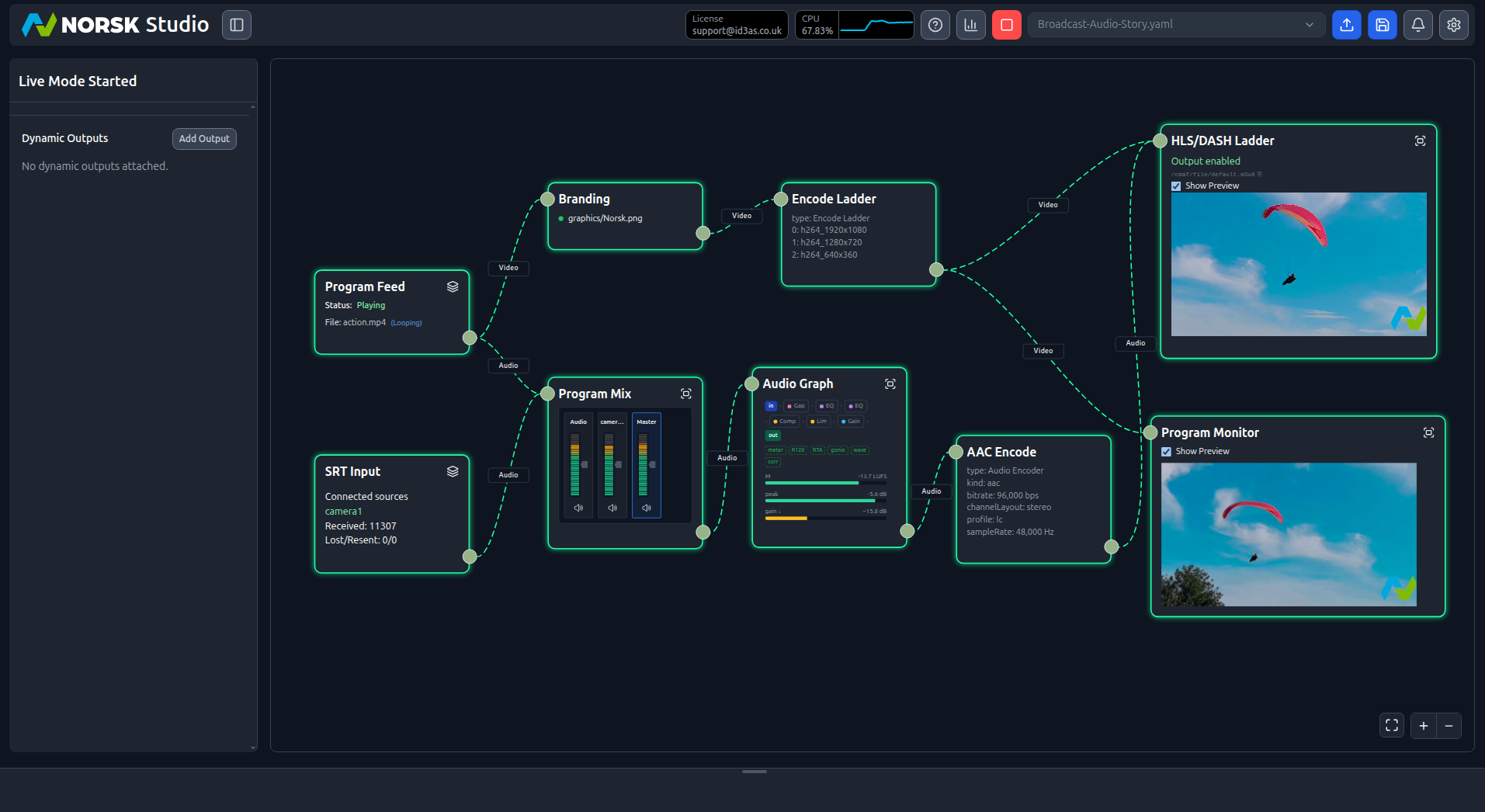
A live broadcast workflow in Norsk Studio — SRT input, branding, encode ladder, audio graph and HLS/DASH output, wired on the visual canvas
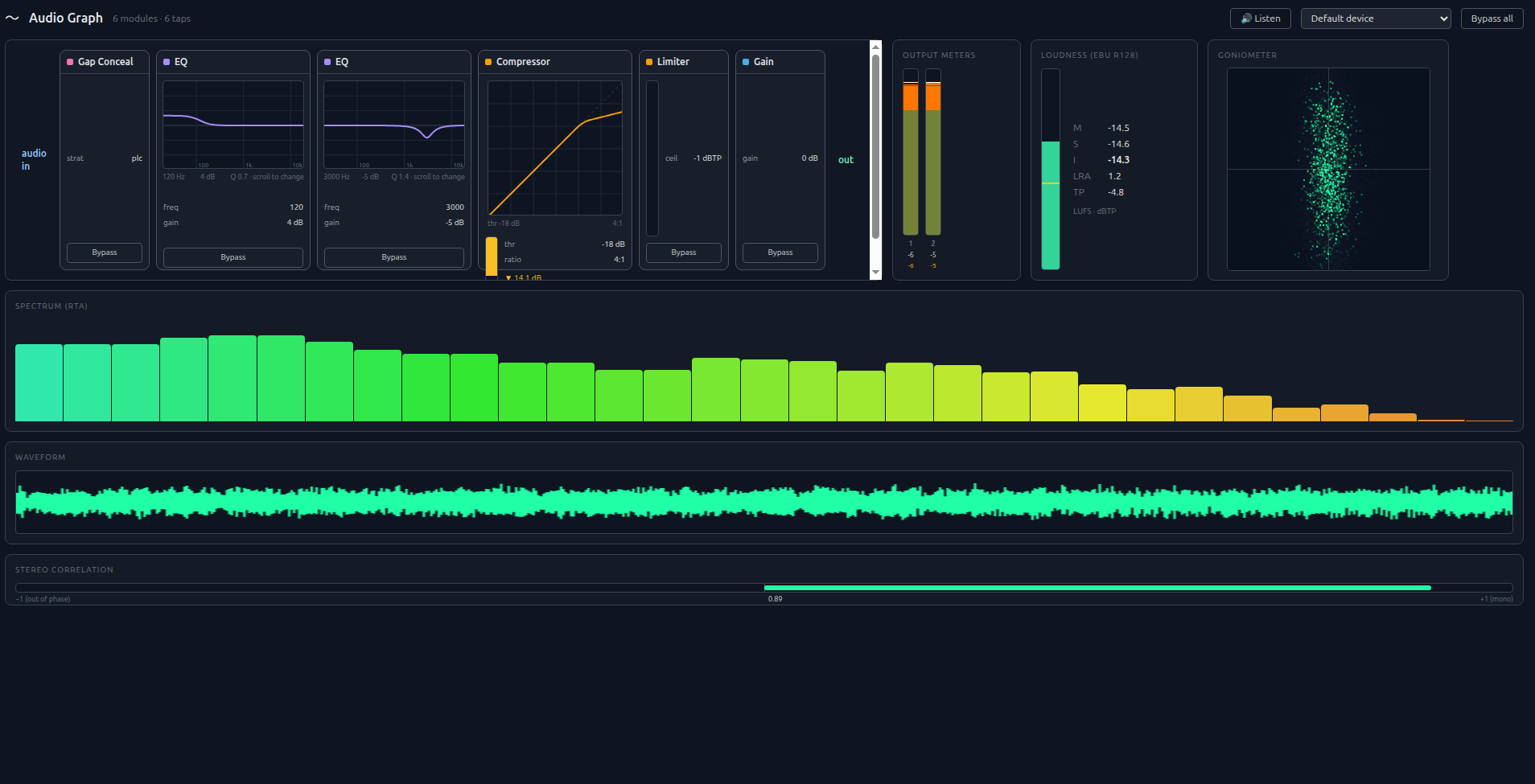
The Audio Graph node expanded — EQ, compressor, limiter, loudness (EBU R128) metering and goniometer
What Norsk Studio does

Everything you need for live video

One platform, from ingest to delivery — without stitching together a dozen tools.

Multi-source ingest
Capture multiple sources simultaneously — SRT, RTMP, SDI, and more — and encode to multiple formats in a single workflow.
Production enhancements
Subtitles and captions, multi-camera source switching, graphics overlay, mosaic monitoring, and more — all in the visual builder. See how a Studio mosaic and the Norsk Probe monitor wall work together in a Norsk master control room.
Package and deliver
Package as CMAF, HLS, or DASH and push to any CDN, YouTube, Twitch, or your own origin — in a single drag-and-drop workflow.
Visual workflow builder
Design, iterate, and deploy workflows graphically. The visual builder handles the setup; the API handles the rest.
On-prem or cloud
Run Norsk Studio on AWS, GCP, Oracle Cloud, Akamai, on-prem or hybrid - on x64 and ARM. Your infrastructure, your choice.
Save and reuse workflows
Once you've built and tested a workflow, save it as a file and reuse it across productions without rebuilding from scratch.
Tutorials

Your first workflows

Once you've got Norsk Studio running, here's how to build your first workflow — and five example builds to see what's possible.

Licensing

How Norsk Studio is licensed

Licensed annually per concurrent channel, on your own infrastructure. Channels that run around the clock are licensed at fixed concurrency. Channels created for events are measured at the 95th percentile of daily peak concurrency and billed quarterly in arrears. High Availability options are available. Norsk Manager, Norsk Playout, Norsk Probe, Norsk Remote Commentary, and Norsk Relay are offered on a range of pricing schemes. Software Support is an annual subscription.

What's a channel? What's a circuit?
Channel
One continuous, connected Norsk Studio workflow that starts and stops as a unit. It can have many inputs and many outputs, so a source with two redundant paths, or extra output copies, still counts as one channel. A channel may include transcoding, decoding, or encoding, and that may affect compute cost.
Circuit
The unit Norsk Relay uses for one piece of live content moving through the relay. Circuits are counted separately from channels, and a circuit that crosses regions counts as one circuit. The circuit itself is never transcoded.

What will you build?

Get in touch if you have questions before you begin. We're happy to walk you through it.