Most live streams want a logo in the corner, and the option to drop in lower-thirds during the show. Norsk Studio does this with the Onscreen Graphic component, which composites an image onto the video before it reaches the encoder so the graphic is baked into every rendition.
Build the workflow
You already know the canvas from Your First Workflows, so this is quick. Drag on four components and wire them up:
- an
SRT Ingest (Listener)for the live feed — leave it on the default port5001. - an
Onscreen Graphiccomponent — this composites your logo onto the video. - an
Encode Ladder— the default gives four H.264 renditions (1080p, 720p, 360p, and 180p). - an
Auto CMAFoutput (shown here asHLS/DASH) to package and deliver.
Connect the input’s video to the Onscreen Graphic, the graphic to the Encode Ladder, and the ladder to the output; run the input’s audio straight through to the output:
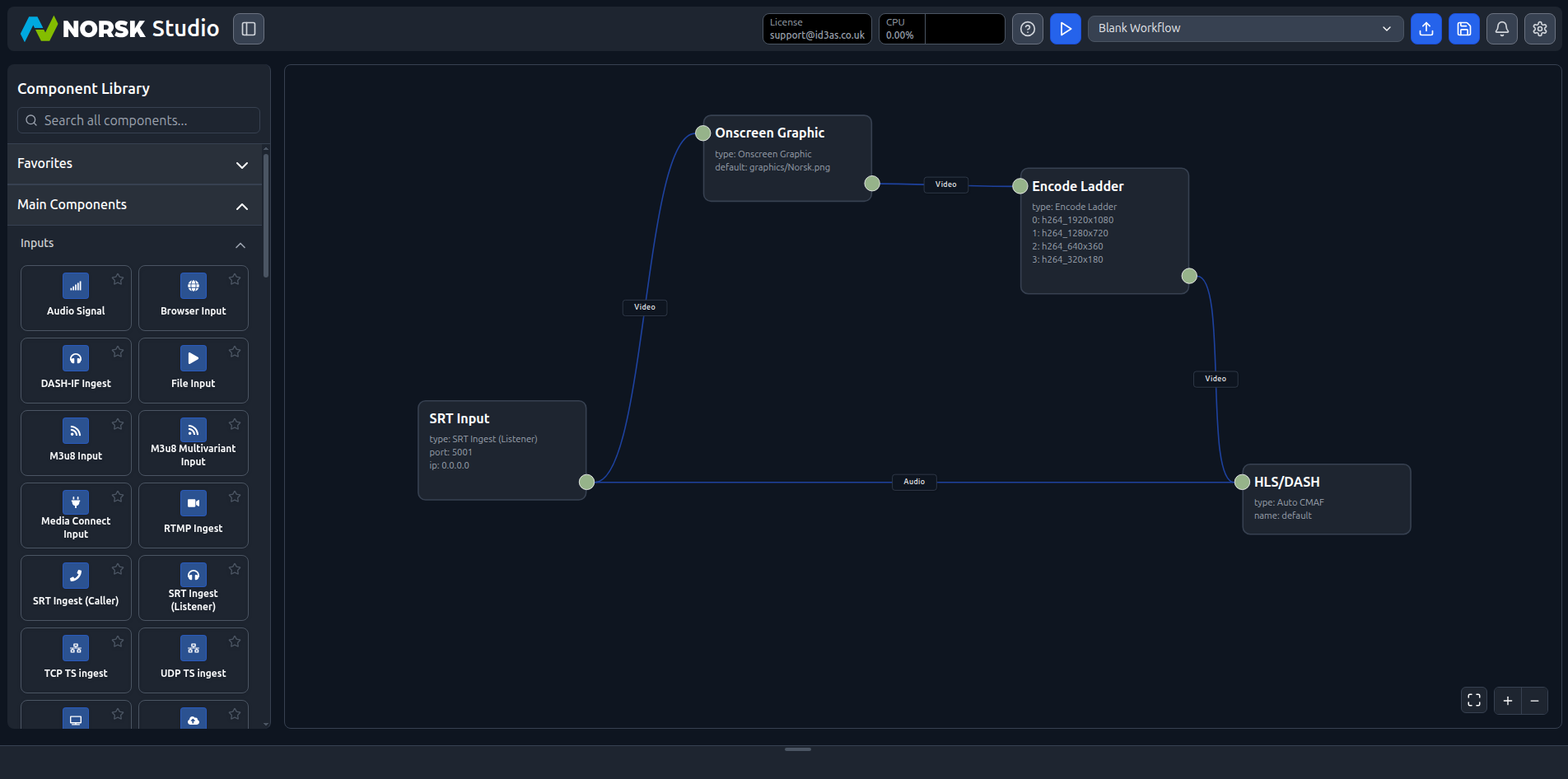
The ordering is the point: the graphic sits before the ladder, so compositing happens once and the logo is present in all four renditions alike.
Configure the graphic
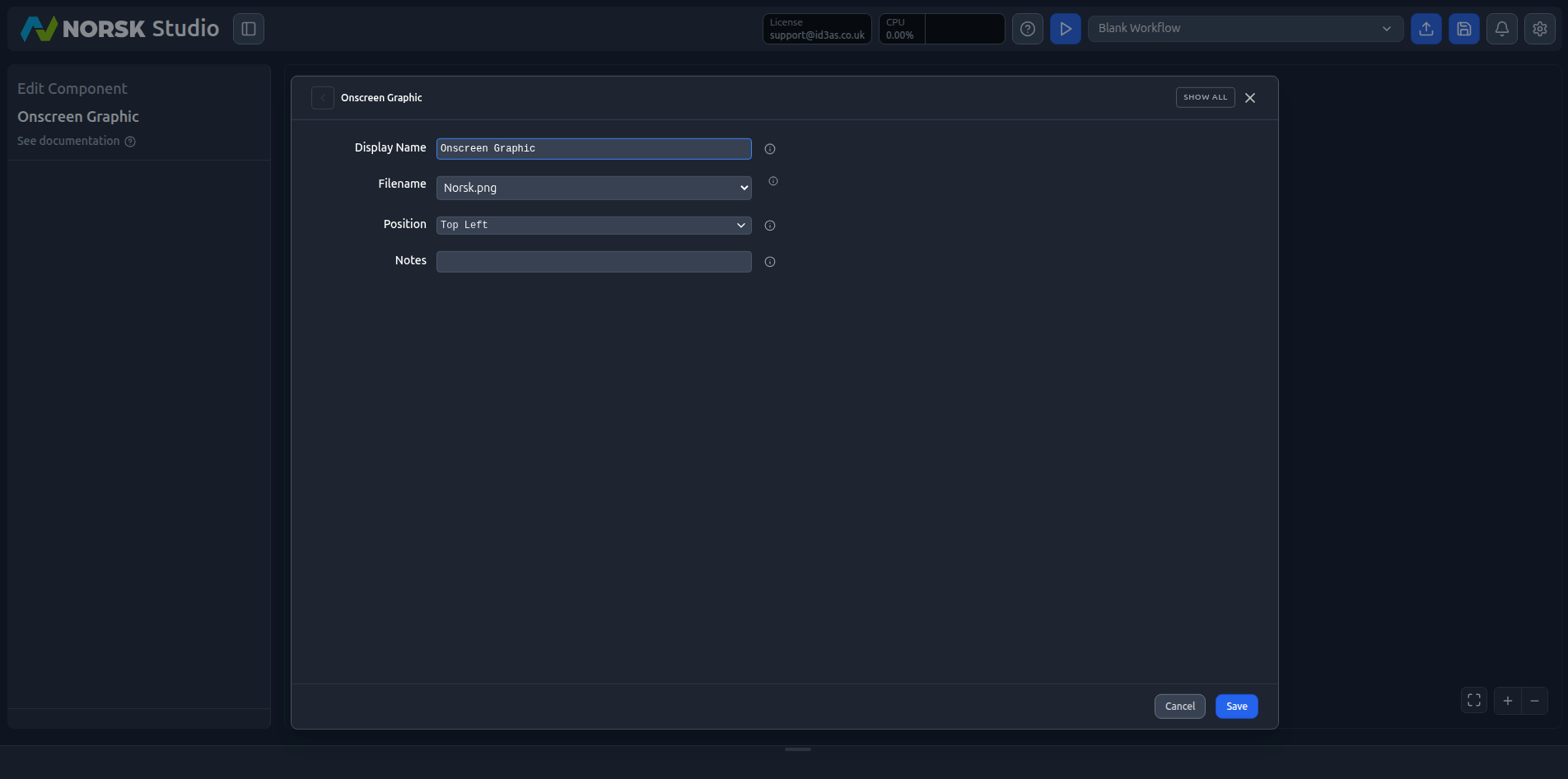
Open the Onscreen Graphic component to edit it. Two settings do the work:
- Filename — the image to overlay, chosen from your graphics folder (for example
Norsk.png). PNGs with transparency work best for logos and lower-thirds. - Position — a named anchor such as
Top Left.Top Leftgives you the classic broadcaster bug in the corner.
Go live
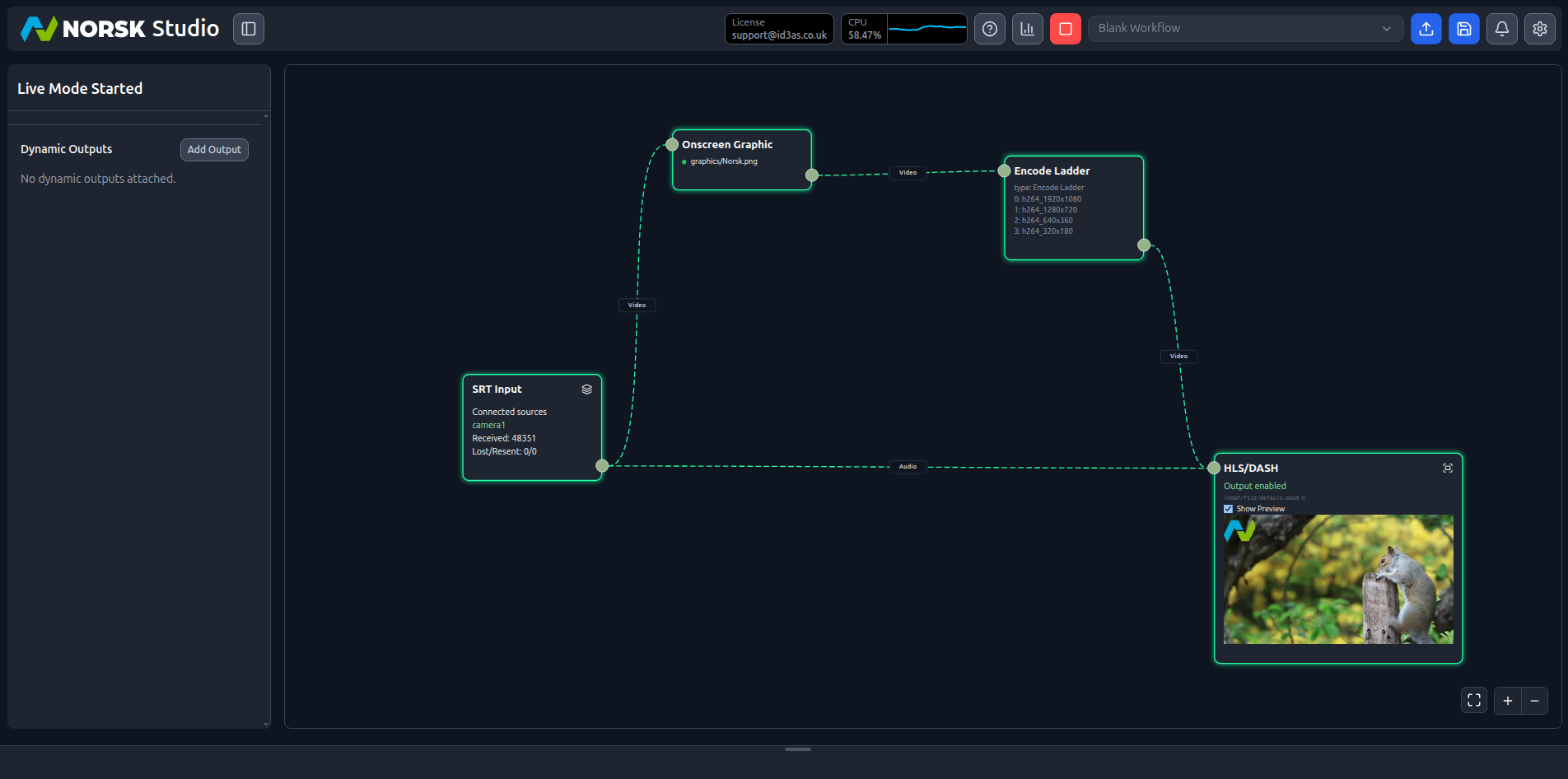
Hit play. If you don’t have a camera to hand, stream a sample source into the SRT input:
./sample-srt-source.sh camera1 startTick Show Preview on the output component and your graphic should sit exactly where you anchored it, composited onto the program feed:
From here, branding becomes a production tool. Swap the filename to change the on-screen graphic, or reposition it from the component’s controls — bring up a lower-third when a guest speaks, then clear it — all without interrupting the stream your viewers are watching.