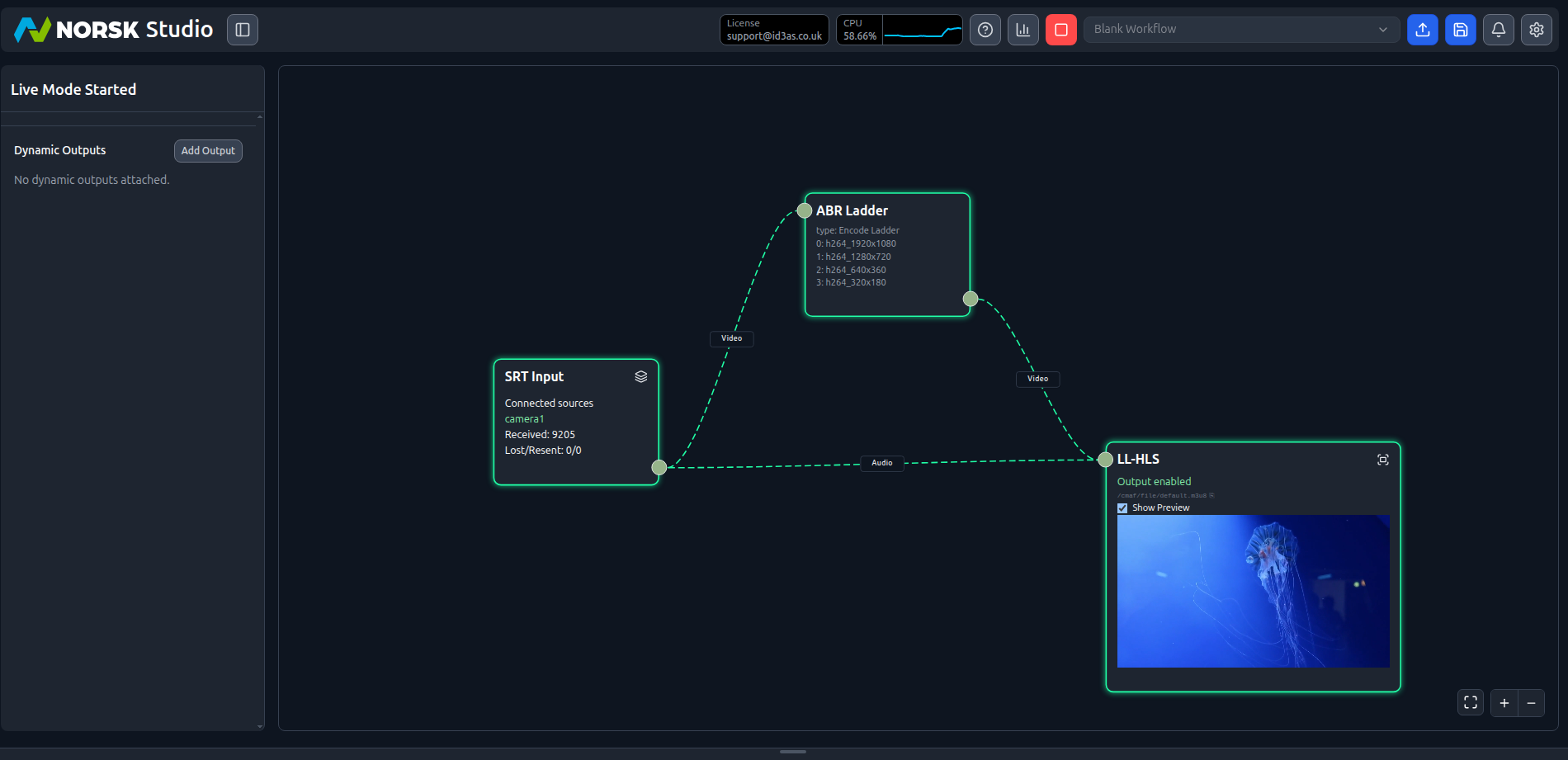
This build takes a live camera feed all the way to a CDN-ready HLS/DASH stream. If you’ve already worked through Your First Workflows the shape will look familiar — an input, an encode ladder, and a CMAF output — with one addition: we point the CMAF output at a CDN origin, so viewers pull segments from your CDN rather than directly from Norsk.
Build the workflow
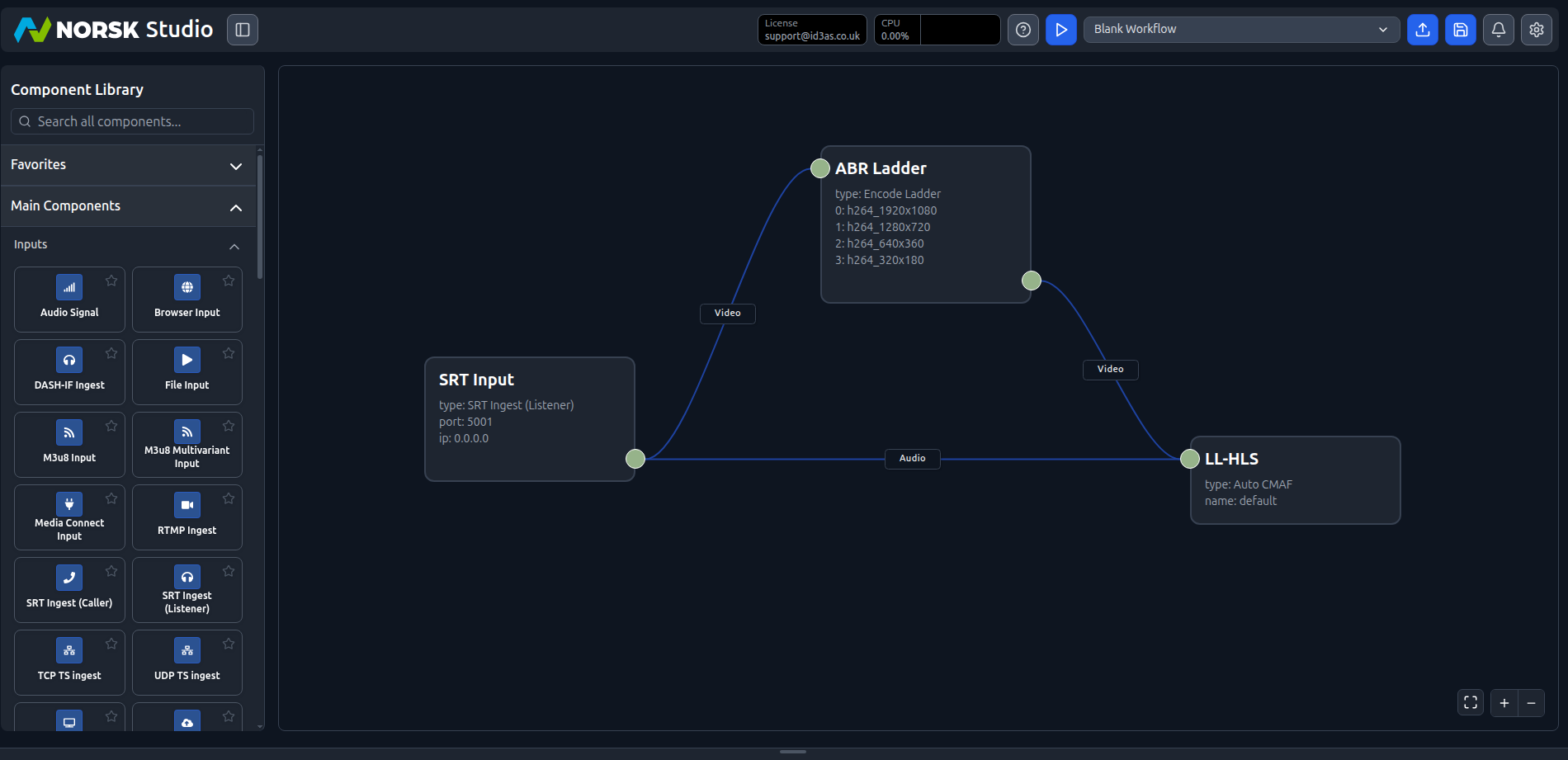
You already met the canvas in Your First Workflows, so this part is quick. Start from a Blank Workflow, drag on three components, and wire them up:
- an
SRT Ingest (Listener)for the camera — leave it on the default port5001. Most cameras, hardware encoders, and phone apps can push SRT; if yours speaks RTMP instead, useRTMP Ingestand everything downstream is identical. - an
Encode Ladder— the default gives you four H.264 renditions (1080p, 720p, 360p, and 180p) for adaptive delivery. - an
Auto CMAFoutput (shown here asLL-HLS) to package the stream as low-latency HLS/DASH.
Connect the input’s video to the ladder, the ladder to the output, and the input’s audio straight through:
What makes this a camera-to-CDN workflow is where we send that output next.
Point the output at your CDN
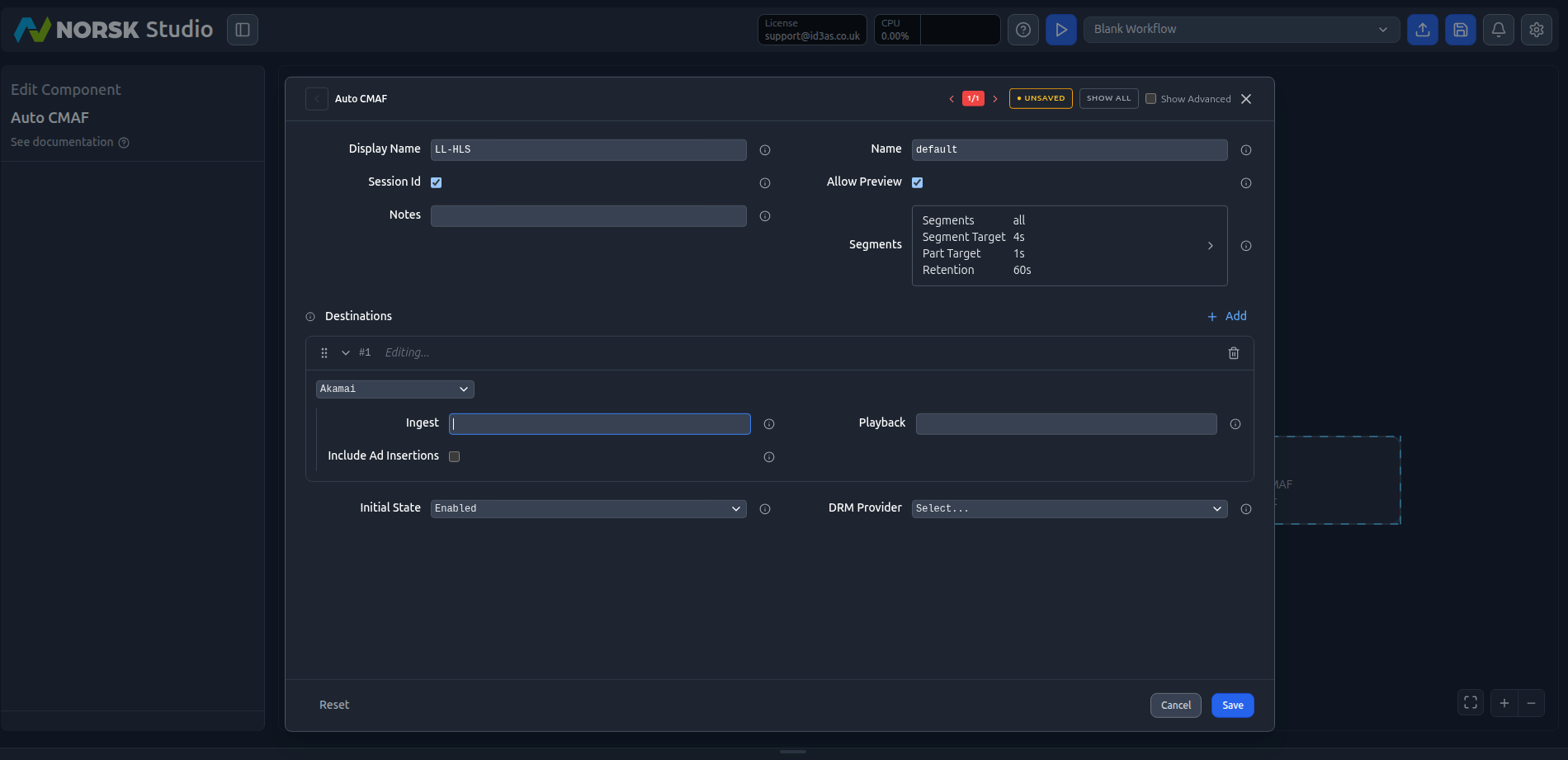
Open the Auto CMAF component to edit it. With no destination configured, Norsk serves the manifests and segments itself — handy for testing, but every viewer pulls directly from your Norsk instance. To hand delivery to a CDN, go to Destinations, click Add, and:
- Pick your CDN from the provider dropdown (Akamai, S3, and others are supported).
- Paste the Ingest URL — your CDN’s origin/push endpoint that Norsk feeds.
- Paste the Playback URL — what viewers load to watch.
- Optionally set the Initial State and attach a DRM Provider.
You can also tune the Segment Target and Part Target to trade latency against segment size. Once a destination is set, Norsk feeds a single origin and your CDN fans the stream out to as many viewers as you like:
Go live
Hit play. The connectors turn orange while the output waits for media, then go live once your camera starts pushing to the SRT port. If you don’t have a camera to hand, stream one of the sample sources instead:
./sample-srt-source.sh camera1 startThe connections turn green, the SRT input reports the connected source and packets received, and you can tick Show Preview on the output component to watch the stream in the dashboard. Load the CMAF manifest through your CDN’s playback URL to confirm delivery end to end — a live camera feed, encoded to an adaptive ladder and served via your CDN, in a single workflow: