For Media Workflow Engineers
Norsk provides built-in support for SRT, RTMP, WebRTC, MoQ, CMAF, HLS, DASH, SDI, MXL, and TAMS, removing the need to integrate separate tools for each protocol. Norsk Studio handles standard workflow assembly from a visual interface, while the Norsk SDK is available for custom logic specific to the workflow. This means an engineer managing multi-protocol live workflows works within a single platform instead of maintaining integration points across several separate tools.
Your journey
Review the architecture and SDK, build a working prototype, and evaluate the capacity case for your team.
Norsk Studio's visual builder handles standard workflow assembly. The Norsk Engine SDK is available alongside it for custom logic, using the same underlying architecture. Review the architecture and the TypeScript SDK documentation to see how the two fit together.
Read the architecture docs →Stand up a multi-protocol pipeline using your own inputs — SRT or RTMP in, transcode, HLS and DASH out, with a WebRTC monitoring endpoint. A first working output is achievable in less than 30 minutes. The same workflow used in the trial carries through to production, with no rebuild required.
Open the SDK docs →Latency figures, failover behaviour, scaling characteristics, supported codecs with documented edge cases, and the full protocol and format support matrix are available before committing to an evaluation.
Read the Technical FAQ →What engineers build
The kinds of pipelines workflow engineers build and operate with Studio.
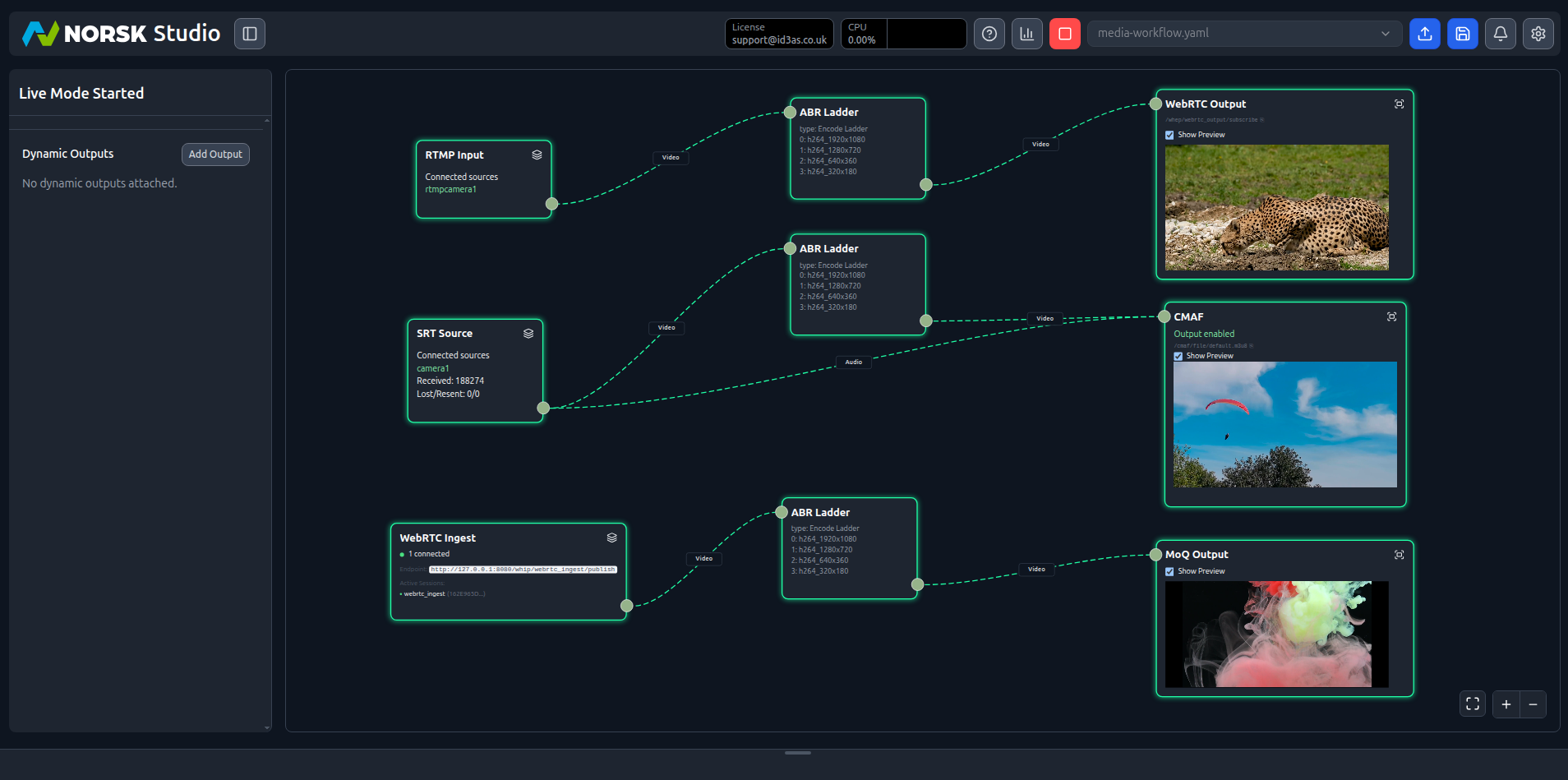
One Norsk Studio workflow replaces a complex multi-tool stack, with a single visual interface for configuration and monitoring across the entire pipeline. Per-node telemetry makes fault location immediate, rather than requiring correlation across multiple separate tools.
This means the pipeline becomes something the whole team can operate, not just the engineer who originally built it.
Talk to us about your stack →A multi-protocol ingest and delivery pipeline — SRT and RTMP in, HLS, DASH, and WebRTC monitoring out — assembles in Studio's visual builder and runs in production with per-stream telemetry from day one.
Build it in Studio's visual builder with the boring wiring handled through the interface. The auto-generated OpenAPI spec lets operations wire workflow control into existing orchestration the same afternoon. Per-node bitrate, latency, and error telemetry available from first run — no custom observability layer required.
Talk to us about your requirements →Norsk's auto-generated OpenAPI spec gives an operations team a typed REST interface to every workflow. Teams wire Norsk into their existing orchestration system in a day — source switches, output targets, stream health monitoring — without building a separate control plane.
Norsk's auto-generated OpenAPI spec gives the orchestration system a typed REST interface to every workflow operation. The team wires Norsk into their existing control plane in a day. No bespoke integration layer to own, no parallel system to keep alive.
Talk to us about your setup →Capabilities
The visual interface, the API, and the SDK are all first-class entry points into Norsk. Use the visual builder for standard workflow assembly, the SDK for custom processing logic, and the API to wire workflow control into existing systems — all operating on the same underlying workflow.
Every workflow built in Studio's visual interface is also a versioned JSON graph, storable in Git and reviewable in a pull request.
SRT, RTMP, WebRTC, MoQ, CMAF, HLS, DASH, SDI gateway, MXL, and TAMS are supported natively. MoQ delivery operates at sub-second latency at CDN scale; MXL intra-server exchange operates at sub-millisecond latency; TAMS supports live-to-VOD without pipeline restarts.
Get in touch to get started with real protocols — SRT or RTMP in, transcode, HLS and DASH out — or book a technical deep-dive with a Norsk engineer who has operated pipelines like yours.
Talk to UsTotal cost of ownership (TCO)
Flexible billing models — per channel, per hour, or shaped to your use case. No lock-in to a cloud provider's pricing model. Deploy on your hardware or your cloud — the economics stay yours.
On-premises, AWS, GCP, Akamai, or hybrid. Deploy where your content and your team are — and move it when your situation changes.
Billing that fits your use case — per concurrent channel, per hour, or a model shaped to how you actually run. Talk to us about what works for your economics.
No mandatory cloud intermediary. Your content, metadata, and audience data remain in your infrastructure — including for European procurement and data-sovereignty requirements.
Fixed licence, stated assumptions. Model your costs before you commit. No surprise bills when a big event drives a spike.